# How to use the pools
{% hint style="info" %}
To interact with the SuperBots staking pools you will need Metamask or a WalletConnect compatible wallet. In this example we are using Metamask browser plugin and Brave browser, you can find out more about Metamask [**here**](https://upbots.gitbook.io/upbots/2.-features/metamask).
{% endhint %}
**Step 1**
Once you have your hot wallet set up (metamask or Binance Wallet), it is easy to interact with the SuperBots Staking Pools. Start by selecting staking from the menu and connect your wallet to UpBots.
**Step 2**
Make sure to select the correct network in your chosen wallet and also in the SuperBots App for the staking pools you wish to use.
For Binance Smart Chain(BSC) staking pools select the BSC network in your wallet and the BSC option in the UpBots App.
LP tokens can be acquired by providing liquidity on PancakeSwap MBXN-USDC and then by depositing the LP tokens you get on SuperBots directly.

To add liquidity on PancakeSwap you have to \
1- go on \
2- Look for the pair MBXN -USDC\
3- Add MBXN and USDC in the pool (with an equivalence in UBXN and BUSD) \
4- When done, going back on SuperBots to add in the Pool the LP token you received from PancakeSwap
**Step 4**
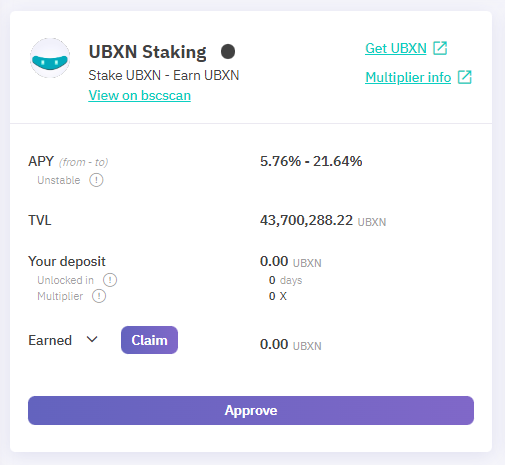
Once you have selected the pool you wish to use you will need to connect your wallet and approve the pool for interaction with your wallet.
**Step 5**
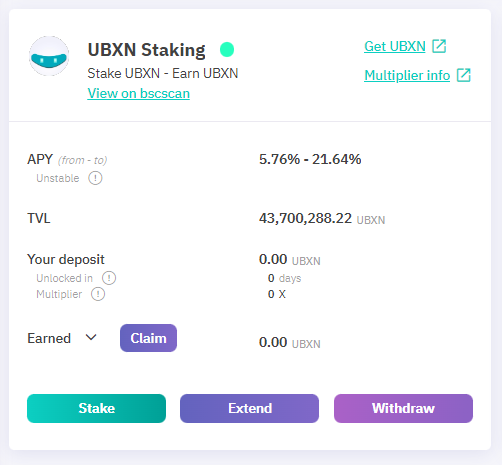
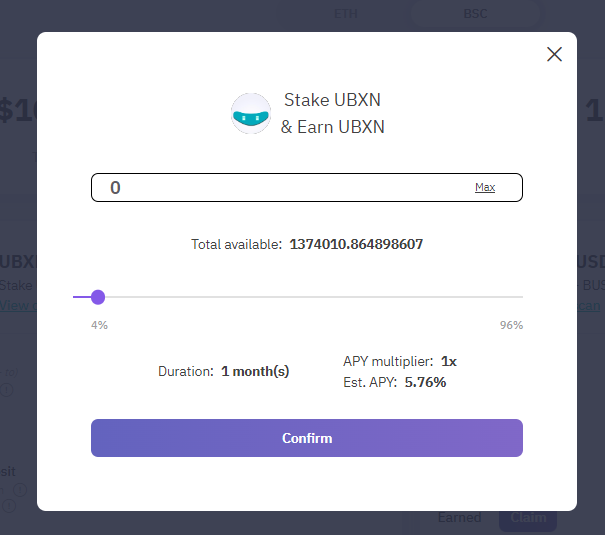
Once the pool is approved you can the add MBXN to the pool and stake your tokens.
Set the amount of MBXN you wish to add to the pool, confirm and confirm the transaction in your wallet.
**Bonus Info**
Once you are staked in a MBXN pool you will begin to receive rewards in MBXN which you can claim at any time by clicking claim and confirming the transaction.
If you wish to compound your rewards back into the staking pool, it can be done by claiming your rewards and adding them back to the pool.
You can also claim and exit the pool at any time if you wish by using the "claim and exit" button.
---
# Agent Instructions: Querying This Documentation
If you need additional information that is not directly available in this page, you can query the documentation dynamically by asking a question.
Perform an HTTP GET request on the current page URL with the `ask` query parameter:
```
GET https://upbots.gitbook.io/superbots/products/staking-pools/how-to-use-the-pools.md?ask=
```
The question should be specific, self-contained, and written in natural language.
The response will contain a direct answer to the question and relevant excerpts and sources from the documentation.
Use this mechanism when the answer is not explicitly present in the current page, you need clarification or additional context, or you want to retrieve related documentation sections.